Write a post once. Send it to every social account you manage.
EverySocialPost is a simple scheduler for small businesses and the people who post for them. Pick the accounts, write the message, add a photo or video, then publish now or choose a day and time. We send it to each network through its official connection and tell you if anything did not go through.
No card needed. Sign in with a code sent to your email. LinkedIn, X and YouTube are open today; Facebook, Instagram, Threads, TikTok and Pinterest open to everyone as each network finishes reviewing the app (details).
How it works
1. Connect your accounts
Go to Channels and connect the accounts you post from: LinkedIn, X, YouTube, your Facebook Pages, Instagram, Threads, TikTok and Pinterest, plus Bluesky, Discord and Telegram. Each one shows its own name and picture so you always know where a post is going. You can disconnect any of them with one click.
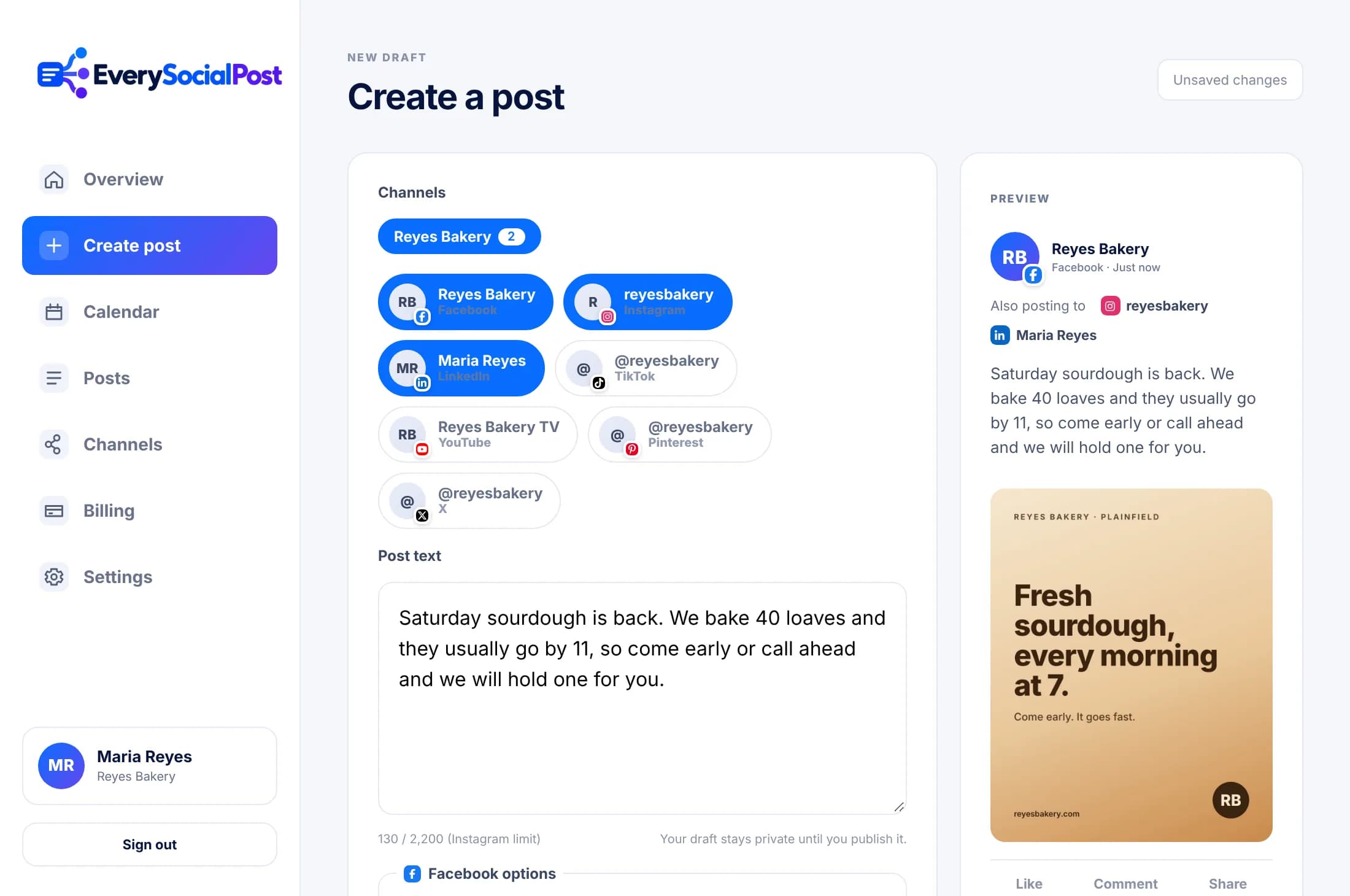
2. Write the post
Choose the accounts, write your text and attach up to ten photos or a video. The counter shows the limit of the strictest network you picked, and the preview shows how the post will look before you send it. When one text does not fit everywhere, give a network its own version in the same post, or let the writing assistant adapt it to each network for you, in English, Haitian Creole, French or Spanish.
3. Publish now or schedule it
Publish right away or pick a day and time in your own time zone. Scheduled posts go out on their own, even when your computer is off. If a network rejects a post, you see the reason in plain words and can fix it and retry.
Know what went out and what did not
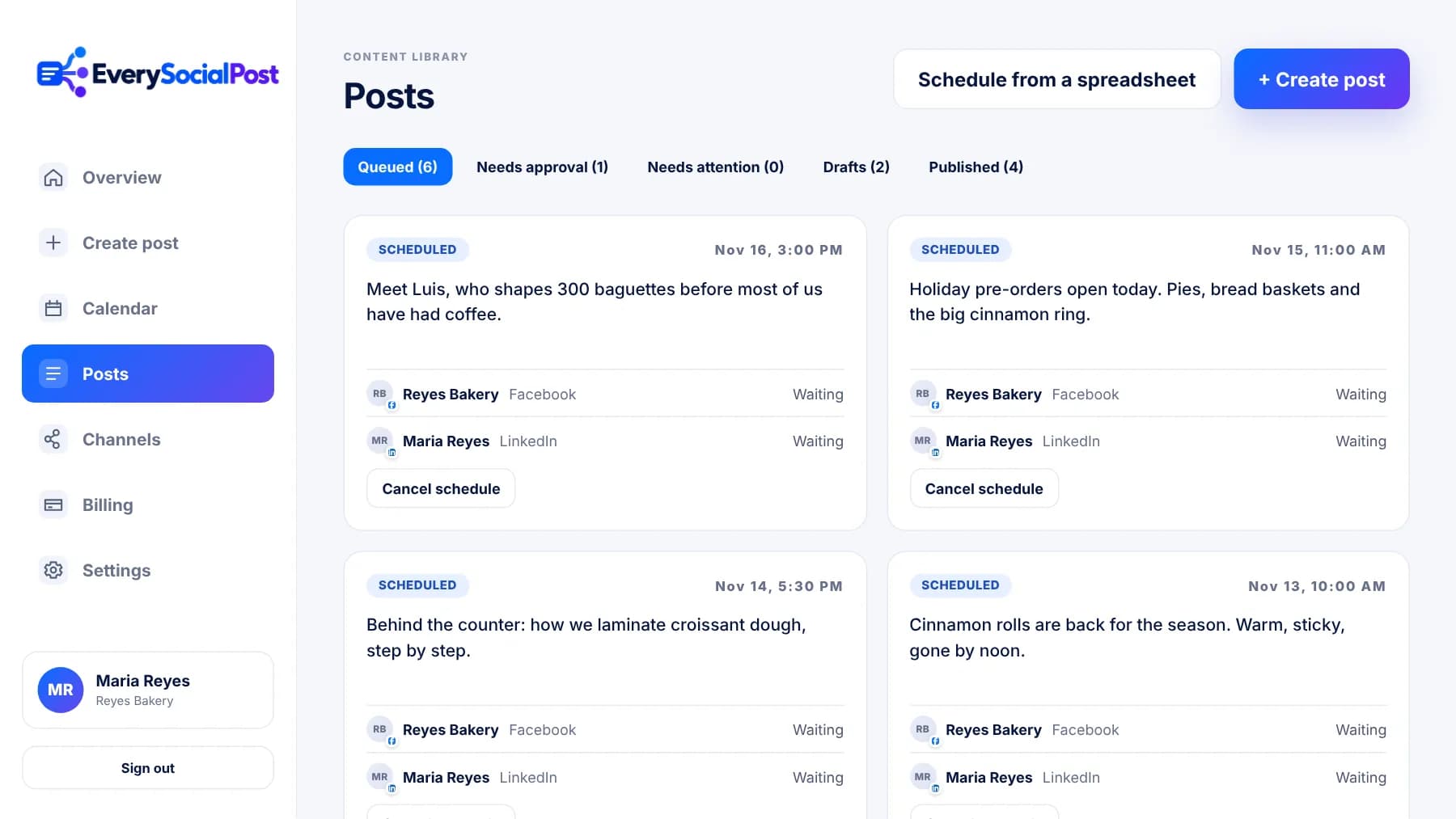
Every post shows its status for each account: waiting, sending, published with a link to the live post, or failed with the reason. No guessing, no opening five apps to check.
Drafts stay private until you publish them, and you can cancel a scheduled post any time before it starts sending.
See the week before it happens
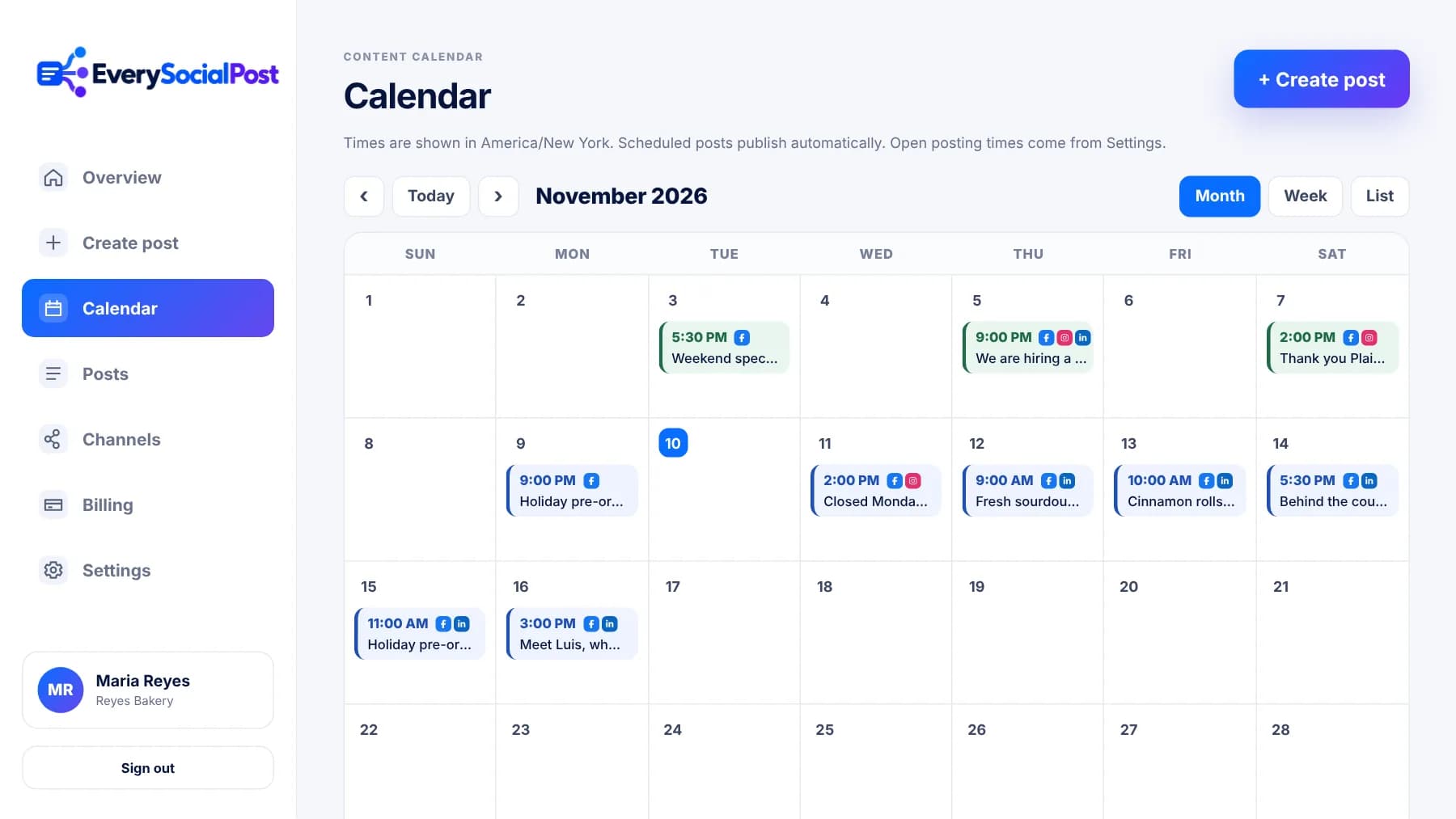
The calendar lists what is scheduled, when, and to which accounts, in the time zone you set. Recent posts stay on the same page so you can see the rhythm of your week at a glance.
Networks
Every network below is built into the app. We mark one as open only once we have published to it from our own accounts. The state next to each one is the exact truth today, and we email every signed-up workspace the day a network opens to everyone.
- LinkedInOpen to everyone, tested with real posts · profiles today; Company Pages when LinkedIn approves them
- XOpen to everyone, tested with real posts · pay per post, see pricing
- YouTubeOpen to everyone, tested with real posts · video uploads, Shorts, thumbnails, scheduled visibility
- BlueskyIn final testing: built, not yet proven with a real post of ours · you can connect it today
- DiscordIn final testing: built, not yet proven with a real post of ours · through a channel webhook; you can connect it today
- TelegramIn final testing: built, not yet proven with a real post of ours · channels, through a bot; you can connect it today
- Facebook PagesBuilt and tested; opens to everyone after the network's app review · Meta app review submitted November 10, 2026
- InstagramBuilt and tested; opens to everyone after the network's app review · Meta app review submitted November 10, 2026
- ThreadsBuilt and tested; opens to everyone after the network's app review · Meta app review submitted November 10, 2026
- TikTokBuilt and tested; opens to everyone after the network's app review · posts stay private to you until TikTok finishes its review (submitted November 6, 2026)
- PinterestBuilt and tested; opens to everyone after the network's app review · runs in Pinterest's sandbox until Pinterest approves the app (requested November 10, 2026)
What each network accepts: Facebook Pages take text, photos and video, Reels and Stories. Instagram needs at least one photo or video, and we convert photos to the size Instagram expects. LinkedIn takes text with up to twenty images or one MP4 video. Threads takes 500 characters with photos or video. X takes 280 characters with up to four photos, a GIF or a video. TikTok takes one video or up to 35 photos with its own audience, comment, duet and disclosure settings. YouTube takes a video with title, description, thumbnail and visibility. The full list, checked against each network's documentation, is in our character limits guide.
Clients connect their own accounts
Posting for a client? Create a connect link in Channels and send it. The client opens it, signs in on Facebook, Instagram, LinkedIn, X, YouTube, TikTok or Pinterest themselves, and the accounts appear in your workspace, ready to post to. No passwords exchanged, no team seat used, and the client can revoke it from the network at any time. Available on the Pro and Agency plans.
Plan a month in one file
Already planning in a spreadsheet? Save it as CSV, upload it, and every row is checked against the real rules of each network before anything is scheduled. You see the exact time and the exact problem, row by row, then schedule the good ones in one click. Read how it works.
An API for your own tools and AI agents
Create a key in Settings and your software, an automation tool or an AI agent can publish and schedule posts to the accounts in your workspace, with no browser and no shared password. One request creates the post, picks the networks, attaches a photo from a URL and sets the time. Read the API documentation.
Who makes this
EverySocialPost is built by EverySocialPost LLC, a small company in Plainfield, New Jersey. We post for our own businesses every day with this same tool, on the same accounts, so when something breaks we feel it first. If you run into a problem or want a network we do not have yet, write to hello@everysocialpost.com and a person will answer, usually the same day.
Ready when you are
Create your account, connect one account, and send your first post in a few minutes.
Create your free account